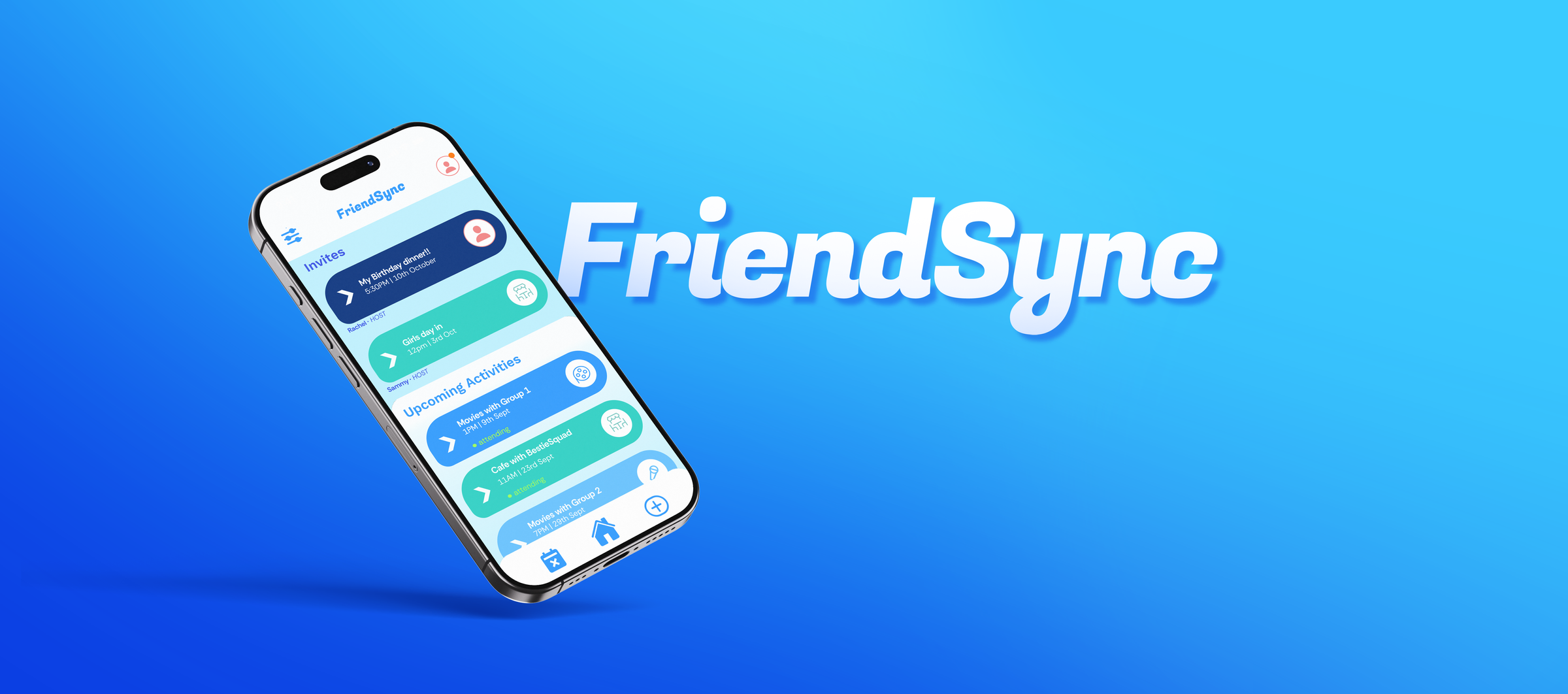
FriendSync
UX Research & App Design
A research-led social coordination app designed to help young adults maintain real-life friendships despite clashing schedules, from user interviews and persona development through to high-fidelity design and usability testing.
Role
UX Researcher & Designer
Timeline
2025
Location
Melbourne
Tools
Figma · Miro
Team
with Cheuk Yin Lee, Yongqing Chen & Yukai Hua
The Problem Domain
As young adults enter university and work, maintaining friendships becomes increasingly challenging. While messaging apps help people stay in touch digitally, they don't solve the problem of actually meeting up in person.
The design challenge: reduce enough friction from social planning that catching up stops feeling like admin, and starts feeling effortless again.
The Approach
We ran qualitative interviews with 10 university-age participants, isolating the barriers most common in blocking real-life meetups. Findings were synthesised into themed research cards and a primary persona, Andy.
Those insights directly shaped the app: a low-effort setup flow, interest matching, collaborative activity suggestions, and a voting system that emerged as the most requested feature during usability testing.
The Research
Through the testing of 10 different students, we isolated which problems were the most common in blocking friend meetups.
Busy Schedules
Everyone has different work and study commitments that rarely align
Travel Distance
Friends spread across the city make location planning difficult
Low Energy
After work or uni, people feel too tired to organise activities
Planning Effort
No one wants to be the person who always has to organise events
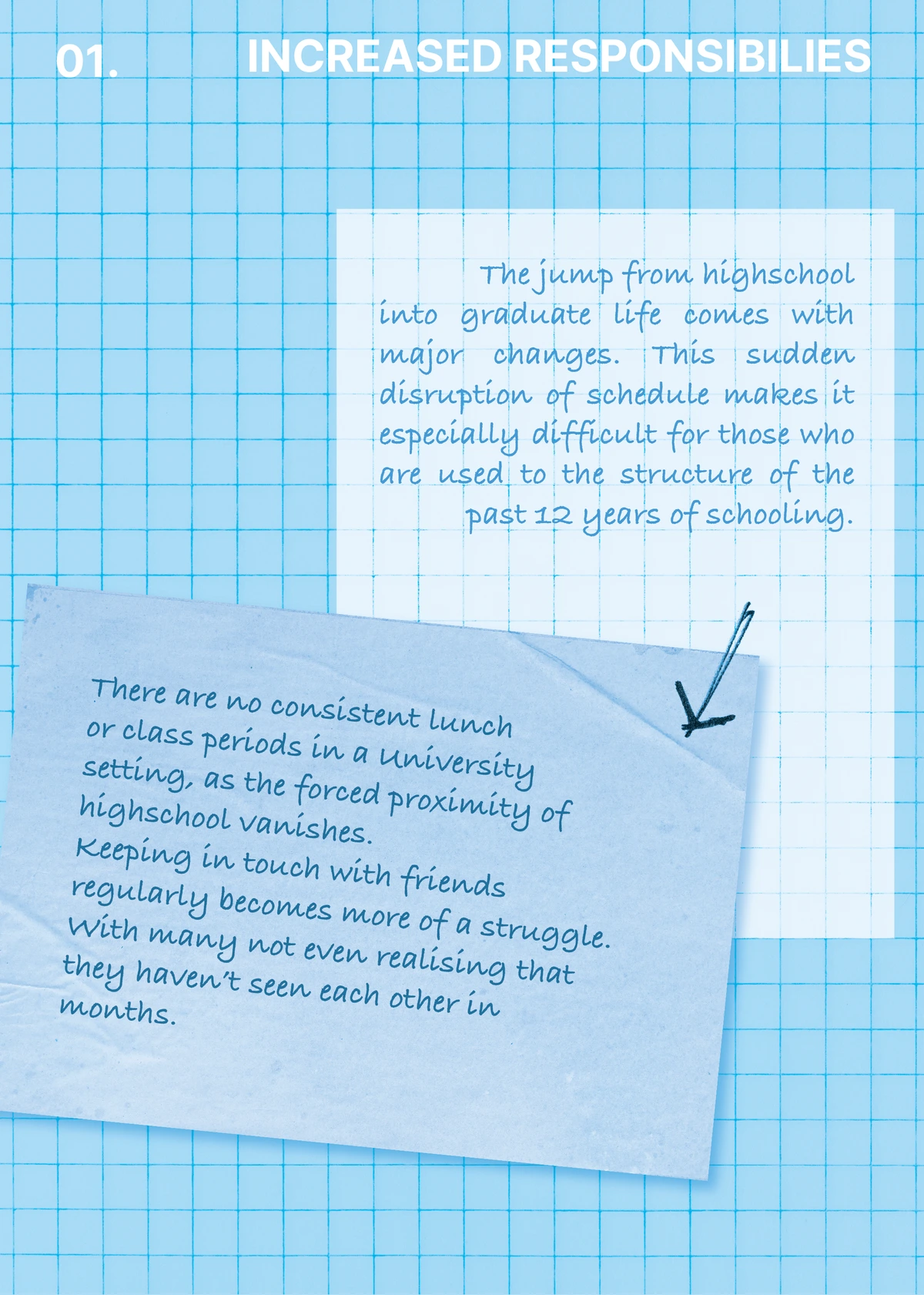
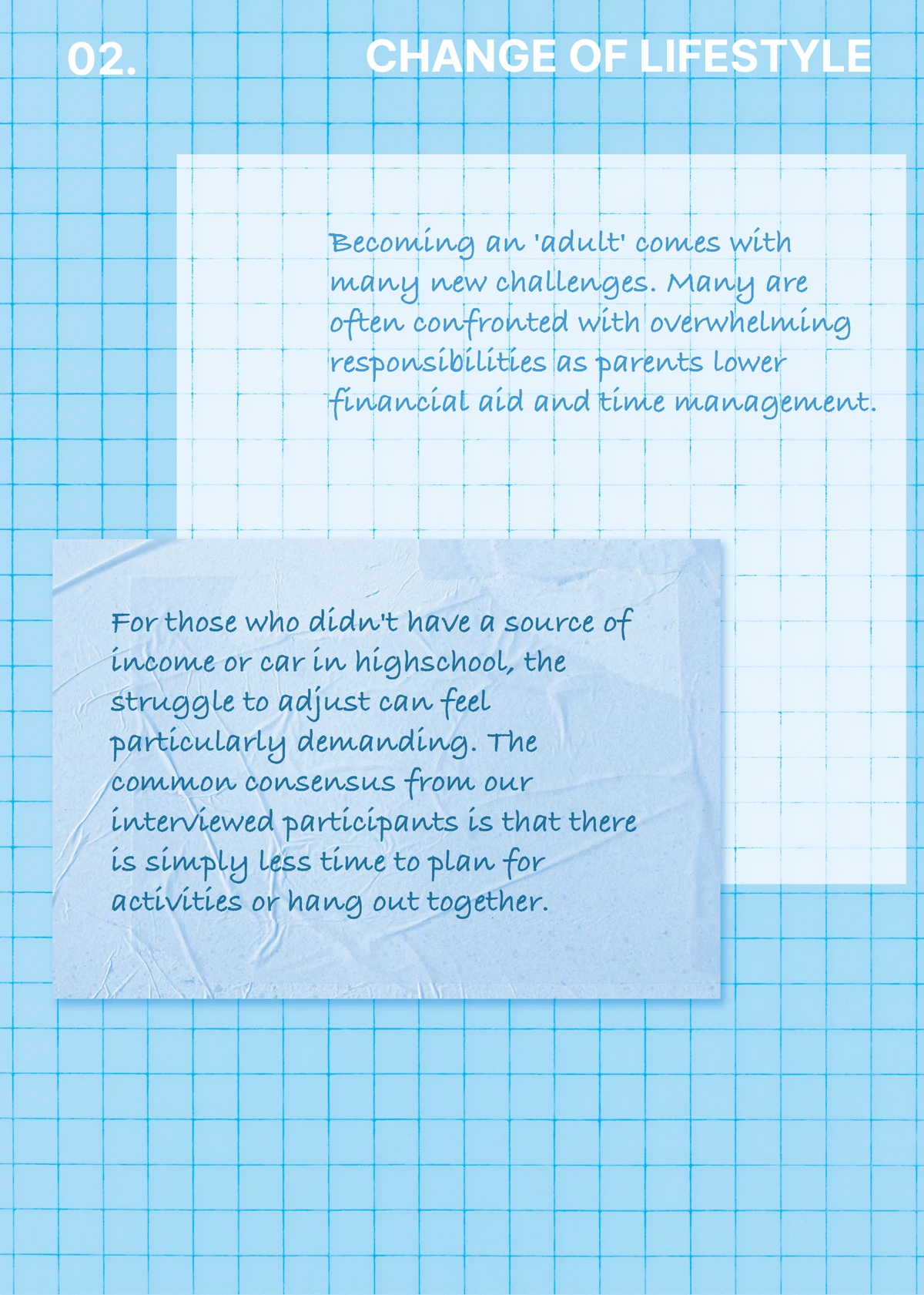
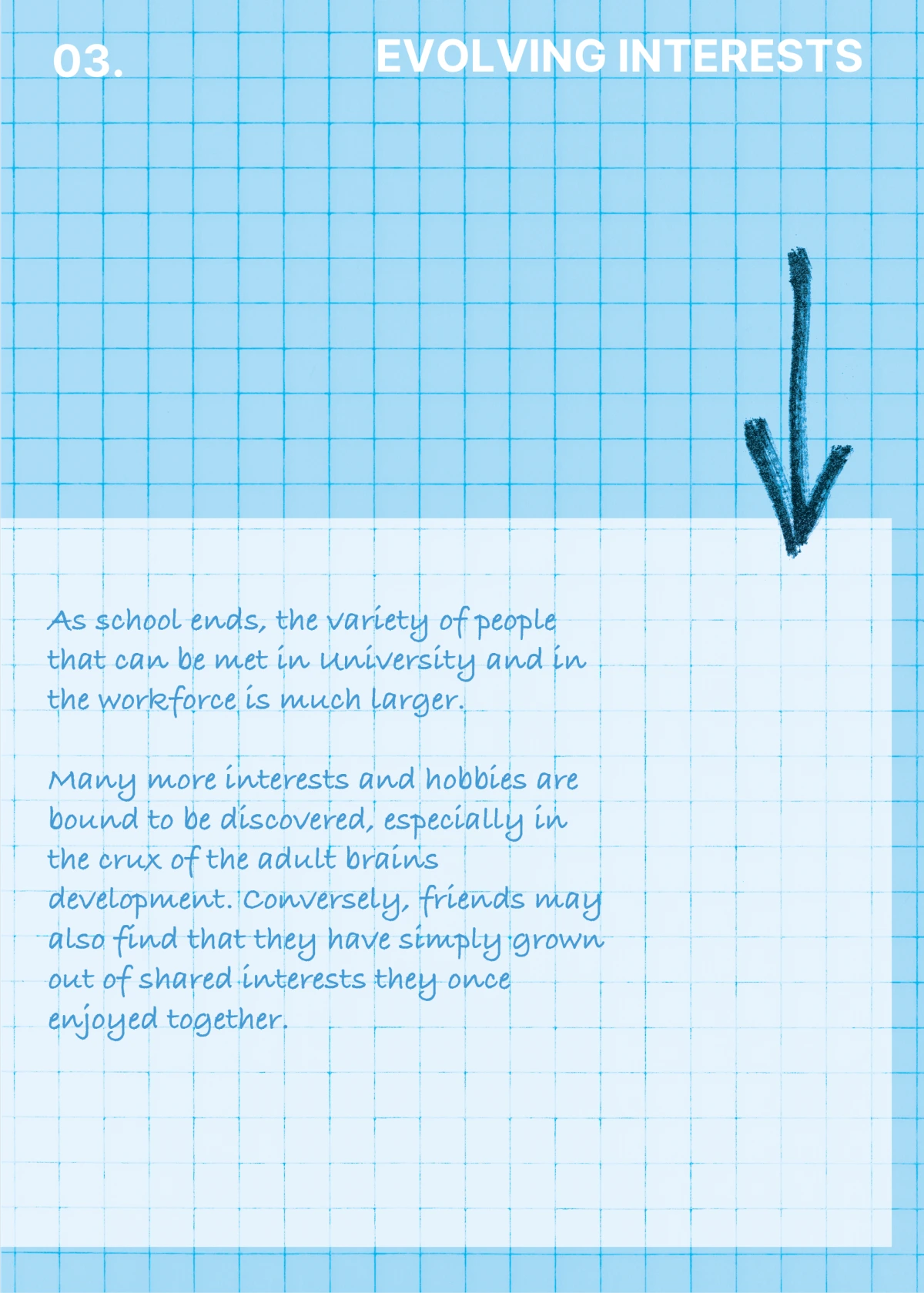
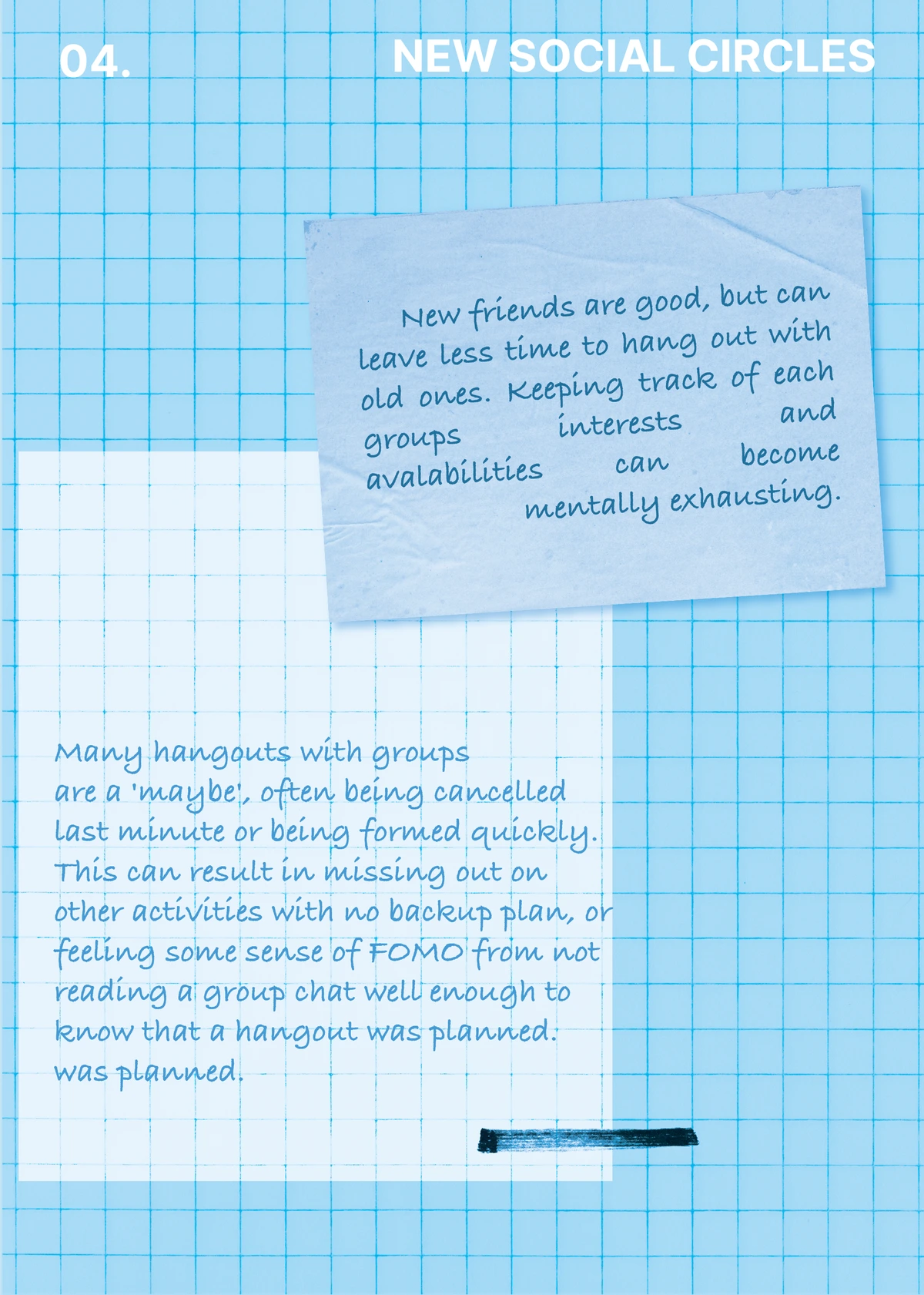
From this user group, the persona of Andy was created, a busy university student representative of many of the participants' traits.
ANDY
Third Year Engineering Student
About
Andy is a 21-year-old engineering student studying full-time in his third year. He is also juggling two internships, leaving very little free time, and wanting to spend it in the most fulfilling way possible.
He prefers WhatsApp or Instagram, but not all his friends use the same apps, making coordination frustrating.
Conflict
Time Management
Juggling two internships and university makes it hard to find spare time to hang out.
Conflicting Schedules
It is hard to find a common time for everyone to meet due to university.
Group Preferences
Andy's friend group is relatively large, making it more difficult to plan activities everyone will enjoy.
Stress & Organisation
Andy often feels overwhelmed attempting to organise his friends across multiple messaging apps at once.
Communication
Messages about plans are often drowned out by other topics in group chats.
His Needs
To be able to see all of his friends at least monthly.
To share some of his own interests with his friends, even if not everyone is on board.
To plan in a more organised way.
Our Solution
A way to easily find a day where everyone is available.
Suggest different activities where everybody can see and vote.
To contact everybody at the same time, without information being drowned out by chatter.
Design Concept & App Overview
FriendSync supports in-person friend group planning by collecting key information from each user: their availability, travel preferences, and interests. The app then outputs tailored activity suggestions and optimal meetup times.
The goal is to reduce planning friction without relying on one designated organiser taking on all the mental load, distributing ownership across the whole group.
The App Journey
Five key screens, from first-time setup through to the collaborative voting feature that users rated as the most impactful.
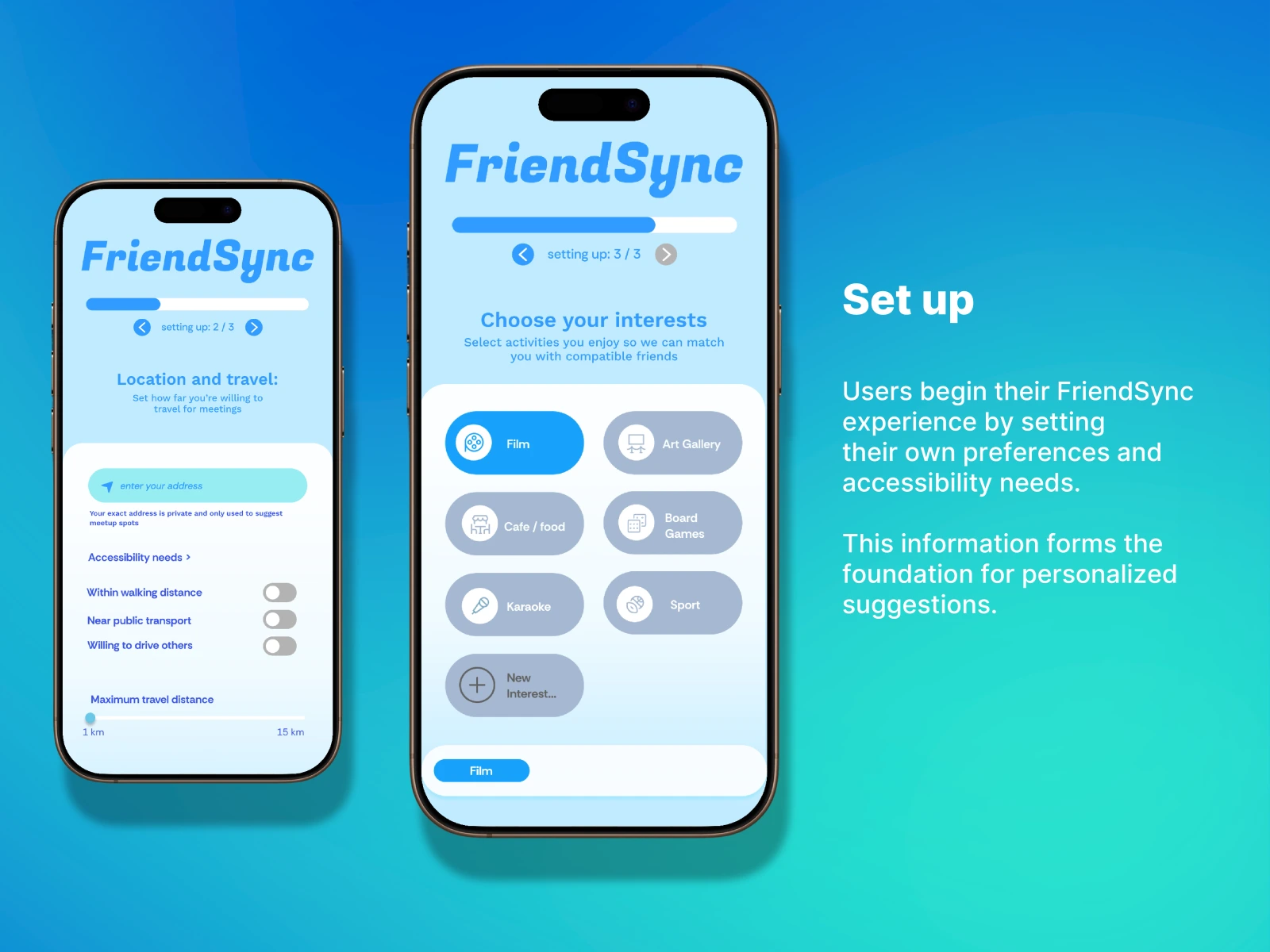
Set Up
Users begin their FriendSync experience by setting their own preferences and accessibility needs in a 3-step flow. This information forms the foundation for personalised activity suggestions matched against compatible friends.
Interest picker, Film, Cafe/Food, Art Gallery, Board Games, Karaoke, Sport, and custom categories for precise matching
Location & accessibility, address entered privately, travel radius slider (1–15 km), walking distance, public transport, and willingness to drive
Preference matching, setup data paired against friend profiles to automatically surface compatible activities
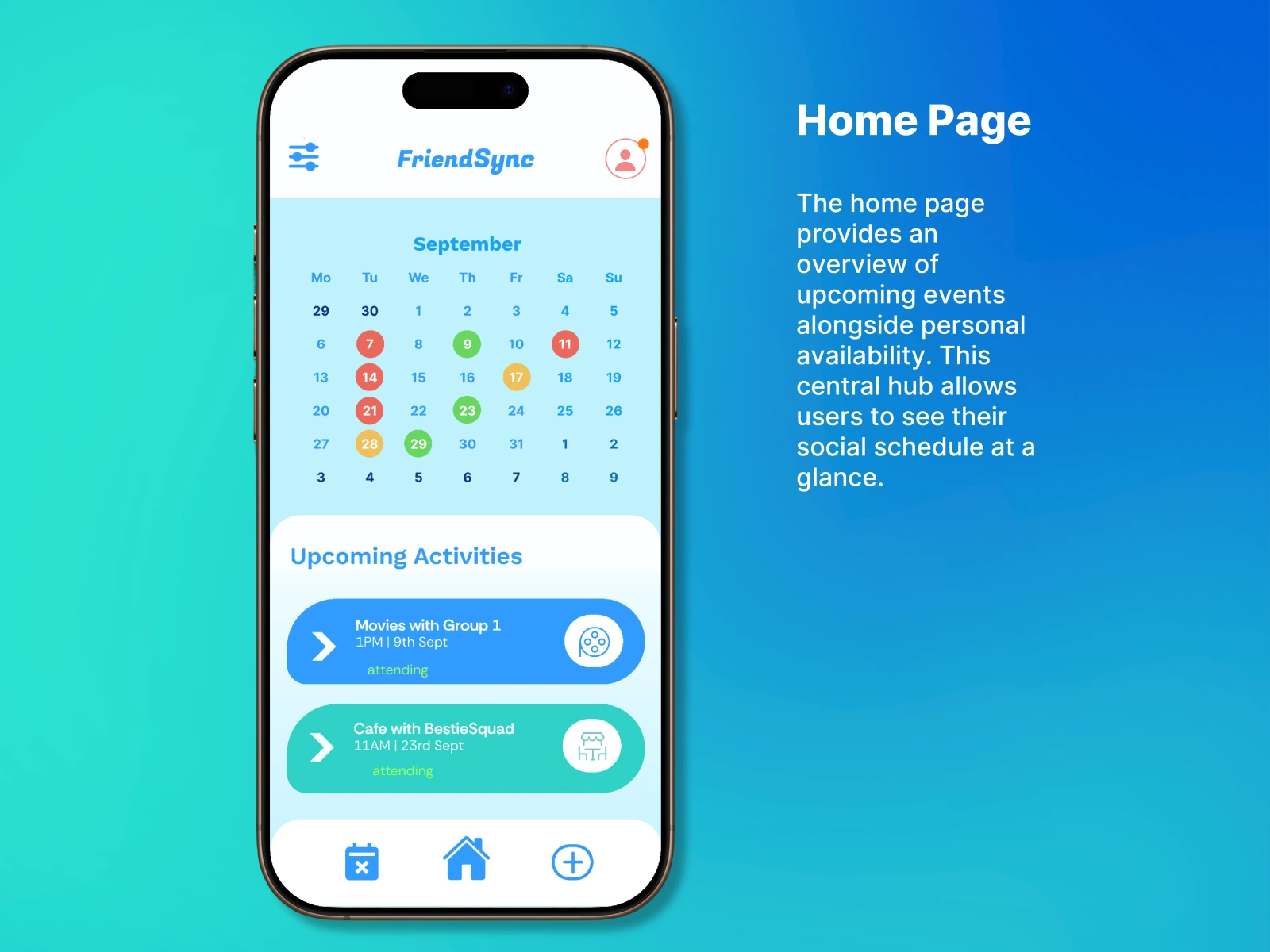
Home Page
The home page provides an overview of upcoming events alongside personal availability. This central hub allows users to see their social schedule at a glance, no group chat archaeology required.
Colour-coded calendar, each date marked with attendance status across all active friend groups
Upcoming Activities feed, "Movies with Group 1 · 1PM, 9th Sept" and "Cafe with BestieSquad · 11AM, 23rd Sept" with attending status
Squad-based organisation, named friend groups reduce the friction of tracking multiple social circles in one view
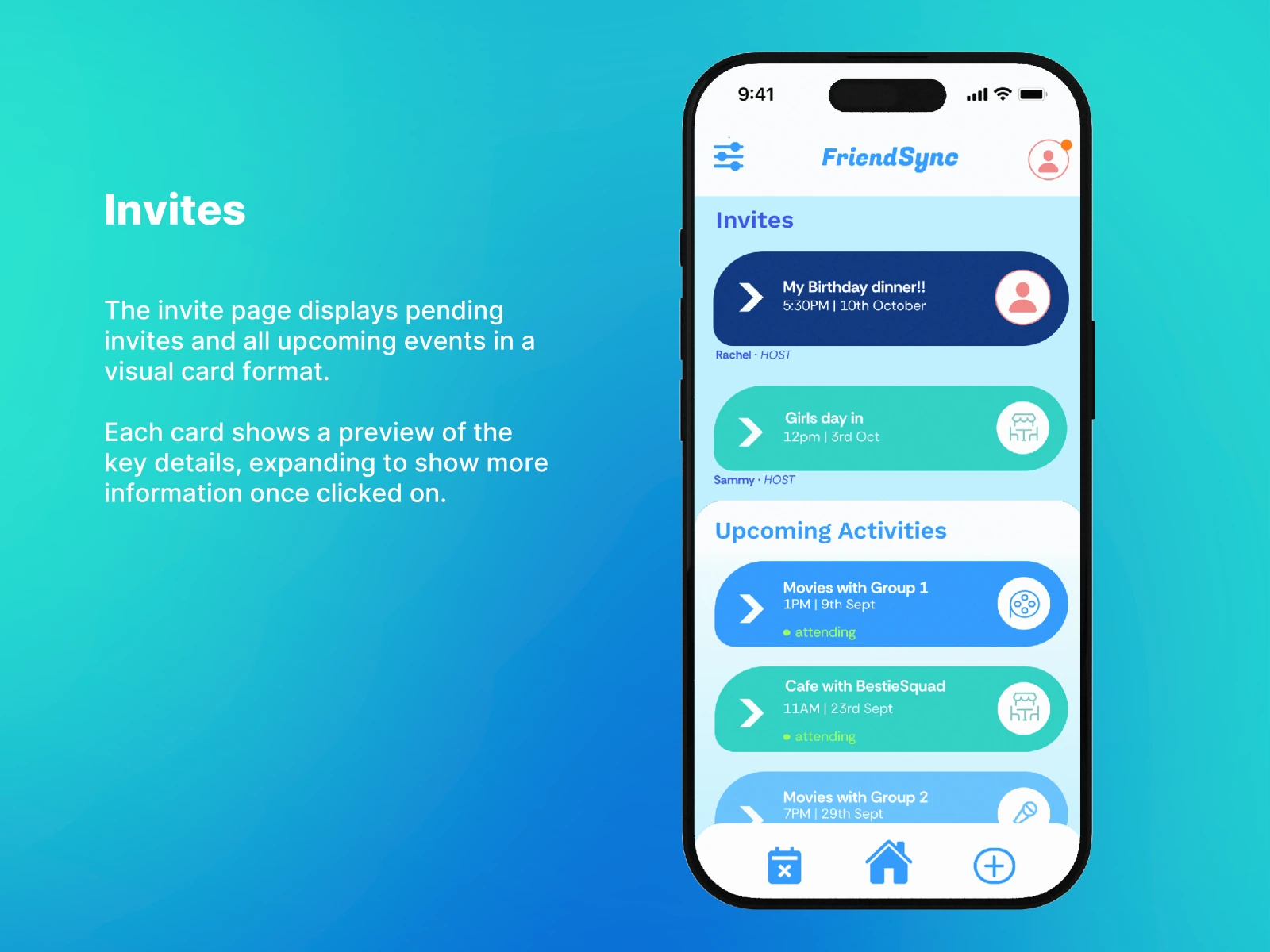
Invites
The invite page displays pending invites and all upcoming events in a visual card format. Each card shows a preview of the key details, expanding to reveal attendee counts and RSVP options, giving users the insight they need to decide without digging through messages.
Card-based layout, pending invites (My Birthday dinner!!, Girls day in) with host name, time, and date at a glance
Expanded detail view, shows 8/12 friends currently going, attendee list, energy level (Medium/High), and the host's message
Simple RSVP, Going, Unsure, and Unavailable so the host always knows what to expect
Planning
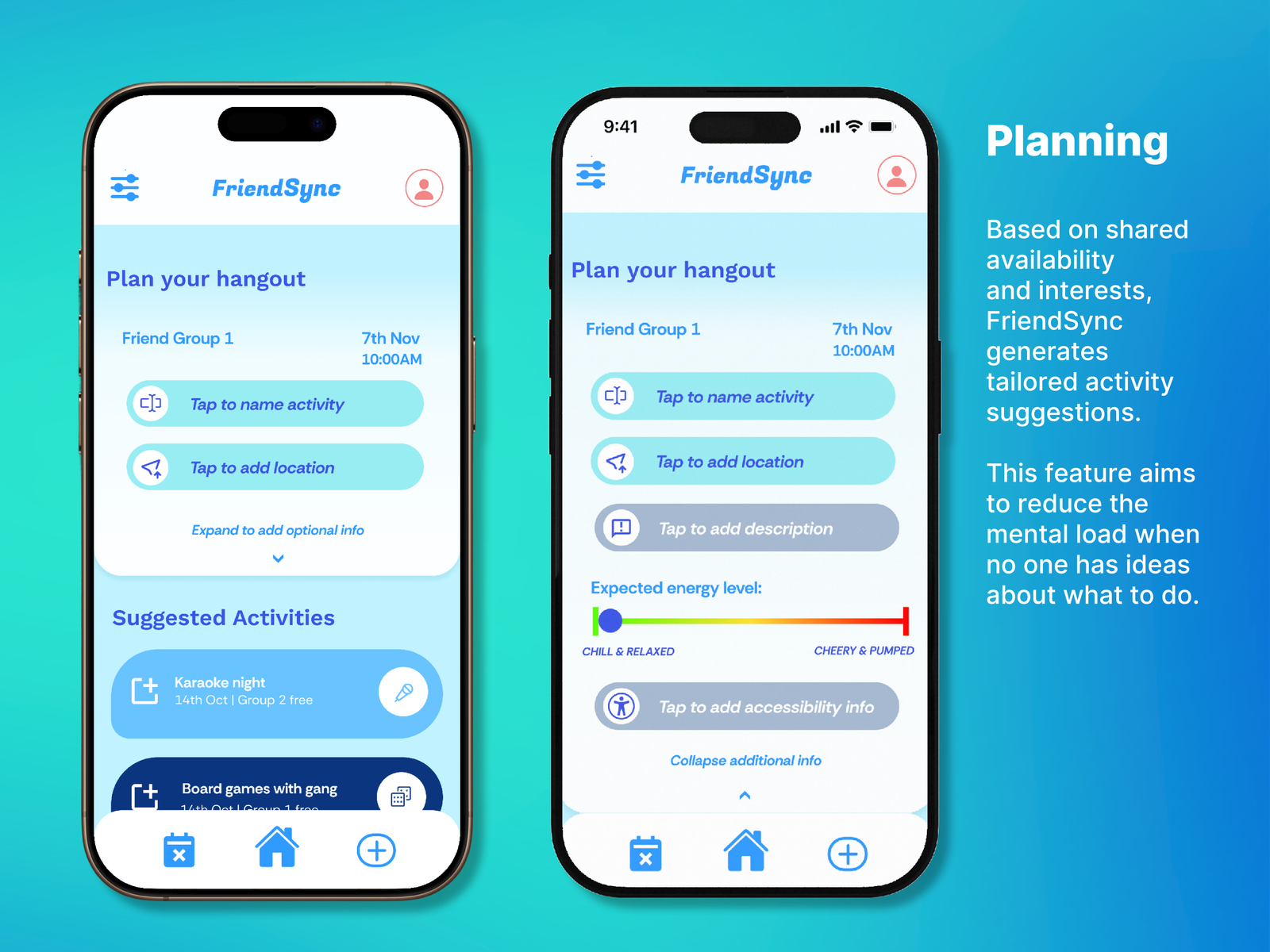
Based on shared availability and interests, FriendSync generates tailored activity suggestions. This feature aims to reduce the mental load when no one in the group has ideas, automatically surfacing options that fit everyone's preferences and travel radius.
Suggested Activities, Karaoke night, Board games with gang, and more surfaced automatically based on group interest profiles
Event creation flow, name the activity, add location, set expected energy level (chill/pumped scale), and add accessibility info
No single organiser needed, distributed planning reduces the burden of one person coordinating everything alone
Voting
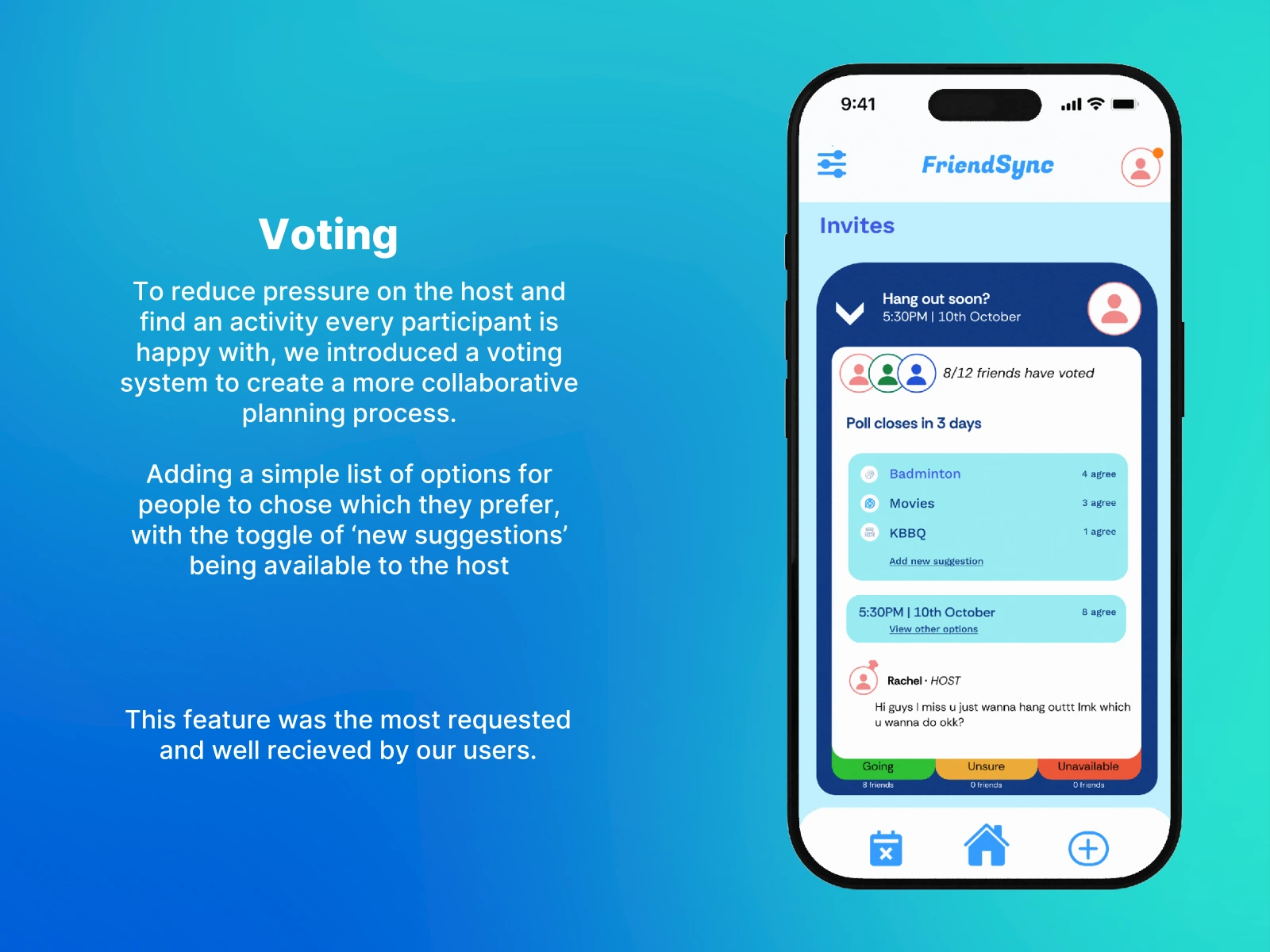
To reduce pressure on the host and find an activity every participant is happy with, we introduced a voting system to create a more collaborative planning process. This was the most requested feature during usability testing, and the most well received.
Group poll, 8/12 friends have voted across options: Badminton (4 agree), Movies (3 agree), KBBQ (1 agree)
Add new suggestion, participants can propose alternatives, keeping the host from being the sole decision-maker
Going / Unsure / Unavailable, simple RSVP tied directly to the winning activity, shown alongside the host's message
Usability Testing
We conducted semi-structured prototype testing interviews to evaluate FriendSync's usability and effectiveness. Each participant walked through key usage scenarios to identify strengths and areas for improvement.
Setup Preferences
Testing the onboarding flow and initial configuration
Creating Events
Evaluating the event creation process
Disability Info
Assessing accessibility feature visibility
Travel Settings
Understanding user expectations around distance
Reflections & Design Assumptions
FriendSync shows strong potential for reducing group planning friction. However, testing revealed key limitations in our initial design assumptions.
What Worked Well
Intuitive setup flow, preferences separated into calendar, travel, and interests made the process feel manageable and logical
Helpful suggestions, the suggested activities feature was described as "fun" and genuinely helpful when groups lacked ideas
Natural flow, the calendar-to-activity flow felt aligned with how users naturally think about planning
Visual clarity, event cards improved clarity and made the interface feel more social and engaging
Assumptions That Didn't Hold
Not all users want structured planning approaches
Not all friend groups use the same platform
Sharing exact addresses feels invasive to many users
Group-wide planning motivation varies significantly between friend groups
Despite centering around friend groups, the app did not feel very collaborative in its first iteration
Based on user feedback, we identified clear priorities for our next design iteration to make FriendSync more intuitive, flexible, and inclusive.
Next Design Iteration
Improve Onboarding
Make next steps clearer after setup with guided tips and visual cues so new users know exactly what to do first.
Visible Accessibility
Include prominent accessibility filters and icons throughout the planning flow, not only in setup.
Privacy-First Location
Replace exact address entry with suburb/radius options for better privacy and less friction at setup.
Collaborative Voting
Enable voting on multiple activity options for true group decision-making, the most requested feature in testing.
Travel Time Estimations
Add personalised travel time calculations for each user to each venue, surfaced alongside activity suggestions.
Design Outcomes
Qualitative interviews revealing the core barriers to maintaining friendships as young adults.
Increased responsibilities, lifestyle change, evolving interests, and new social circles, each informing a specific design decision.
From interview scripts and insight cards through to Figma high-fidelity screens, a full research-led, tested design process.
Interested in this project?
Let's talk about how I can bring this kind of thinking to your product.